Hosting operations center

Control the platform with context.

The EzeAD administrator panel connects commercial hosting management with the underlying services, queues, diagnostics and recovery controls.
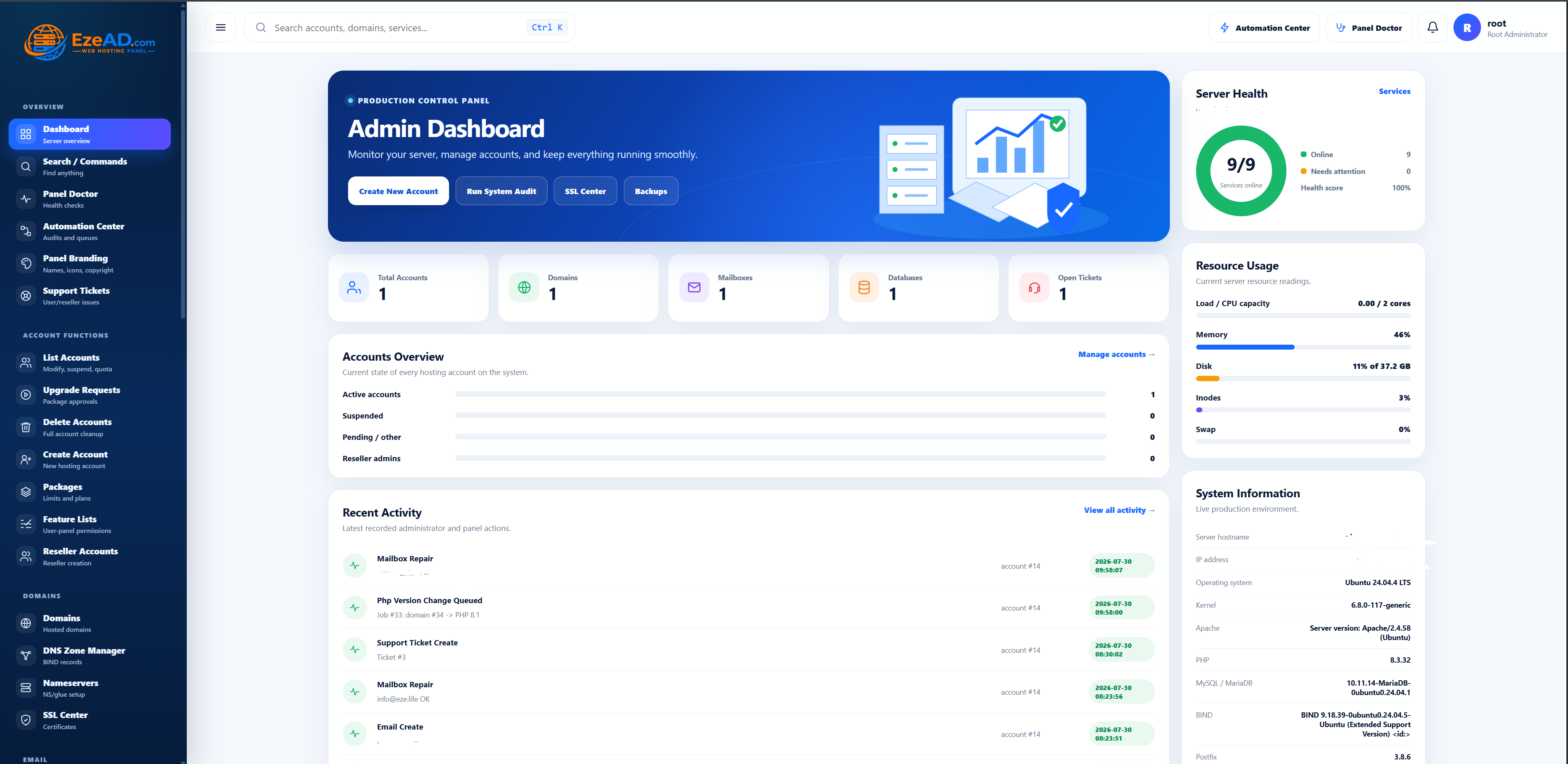
EzeAD admin dashboard
A concise operational view across accounts, services and resources.
Core workflows

From customer lifecycle to server health

High-impact work stays structured and visible instead of being scattered across scripts and configuration files.
Commercial management

  • Accounts and resellers
  • Packages and feature lists
  • Upgrade approval workflow
  • Quota and ownership controls

Infrastructure control

  • Domains and authoritative DNS
  • Apache, PHP-FPM and MultiPHP
  • Mail, FTP and database services
  • Service manager and health checks

Security & recovery

  • SSL and HTTPS lifecycle
  • Malware, firewall and intrusion views
  • Background backups and automation
  • Diagnostics and rollback evidence
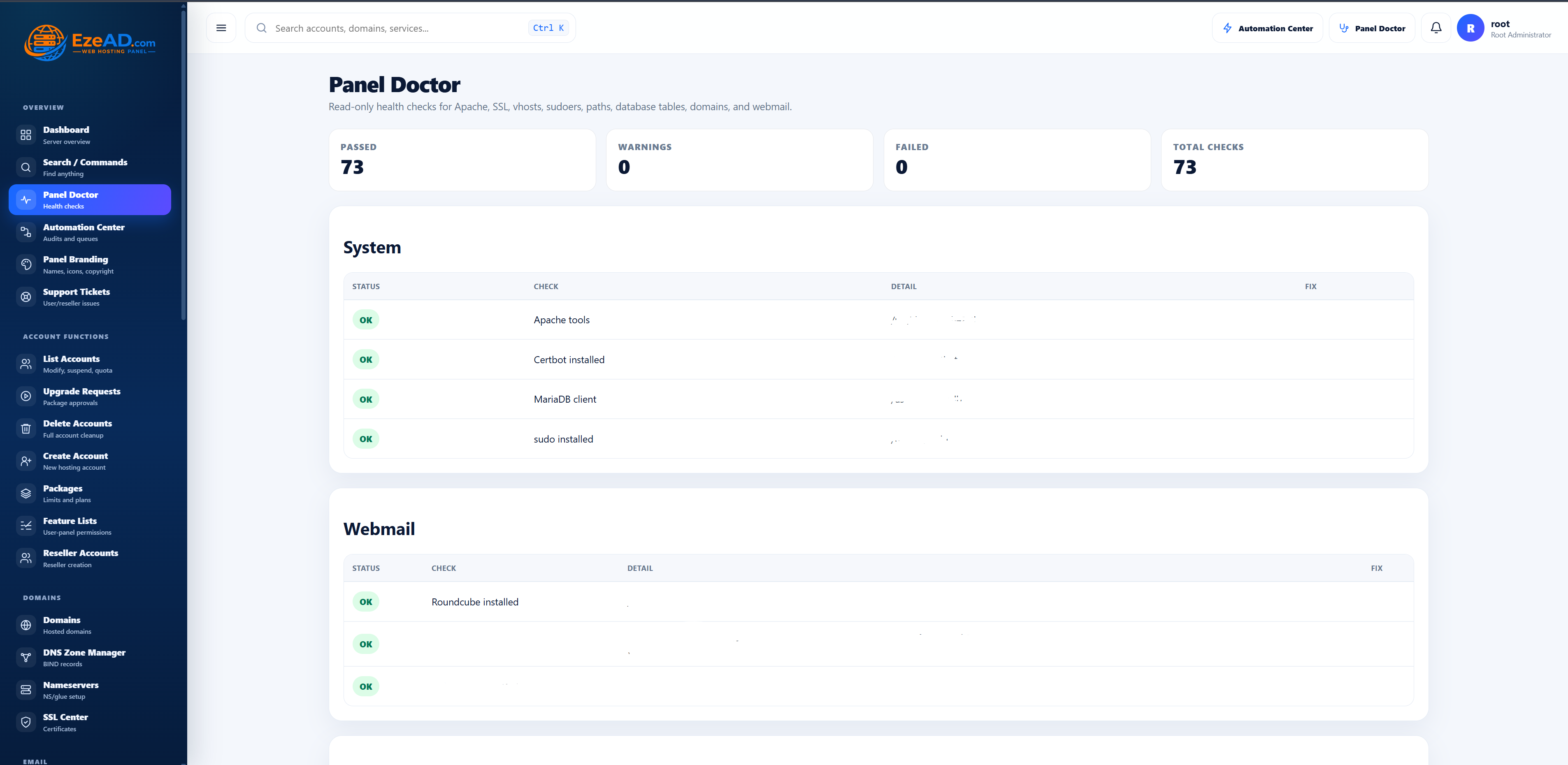
Panel Doctor diagnostics
Panel Doctor converts service checks into actionable results.
Evidence-backed operations

Know what happened and what to do next.

Automation Center, Panel Doctor and provisioning histories make background activity inspectable—without turning the UI into a raw terminal.

  • Durable queue status and timestamps
  • Service configuration and syntax probes
  • Installer and lifecycle smoke tests
  • Protected logs and clear remediation guidance

Operate hosting as a product.

Give teams a repeatable control plane for customers, infrastructure and recovery.

Discuss admin operations